Apex Legends FOV Calculator
Convert, Compare &
Optimize Your FOV
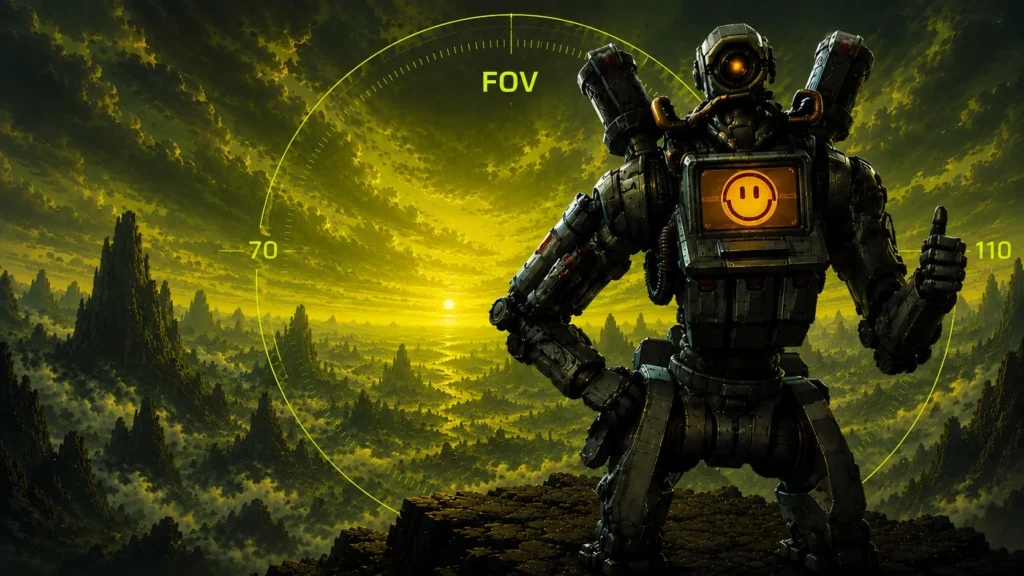
Apex Legends allows players to adjust their field of view from 70 to 110, making it one of the most important settings for visibility, awareness, and aiming consistency. Use this calculator to convert Apex FOV values, compare monitor setups, and find the best settings for your playstyle.
70–110
FOV
Range
110°
Maximum
FOV
Comp
Player
Optimized
– CALCULATOR
Apex Legends FOV Calculator
Enter your FOV, select source and target aspect ratios, then hit Calculate for instant accurate conversion.
Enter your FOV, select source and target aspect ratios, then hit Calculate.
– Quick Explainer
Why FOV Matters in Apex Legends
Field of view determines how much of the game world you can see on your screen at once. A wider FOV provides greater peripheral vision and awareness — you can spot enemies approaching from the sides without turning. A lower FOV makes enemies appear larger on screen, which can make them easier to track at long range.
Finding the right balance is crucial for competitive performance. Too low and you’re blind to flanks; too high and distant targets become hard to hit precisely. Most high-level players land between 100 and 110 FOV, where awareness and target size reach an effective balance.
– How to Use
Four Steps to Your FOV
01
Enter Your FOV
Type or slide your current Apex Legends FOV value (70–110).
02
Pick Source Ratio
Select the aspect ratio your current FOV was set on.
03
Pick Target Ratio
Select the aspect ratio of your new or target monitor.
04
Calculate & Copy
Hit Calculate. Copy your converted FOV and apply it in-game.
– Reference Data
Apex Legends FOV Reference Table
| FOV Setting |
Playstyle | Notes |
|---|---|---|
| 70 | Maximum Zoom | Largest targets on screen. Very narrow peripheral vision. Rarely used competitively. |
| 80 | Casual Players | Balanced visibility for slower-paced play. Comfortable for new players. |
| 90 | Most Common | Default-adjacent setting. Good starting point for most monitor sizes. |
| 100 | Competitive | Strong awareness without making targets too small. Popular in ranked play. |
| 104 | Pro Favorite | Excellent balance of peripheral vision and target size. Widely used by pros. |
| 110 | Maximum FOV | Maximum peripheral vision. Best for ultrawide and large displays. Harder long-range aim. |
Preference varies by monitor size, viewing distance, and playstyle. Start at 100 and adjust from there.
– The Math
How Apex Legends FOV Conversion Works
Apex Legends uses a horizontal field of view system. Converting FOV between aspect ratios requires preserving the vertical viewing angle as the anchor, then recalculating the horizontal angle for the new ratio.
VFOV = 2 × atan( tan(HFOV ÷ 2) ÷ Aspect Ratio )
HFOV = 2 × atan( tan(VFOV ÷ 2) × Aspect Ratio )
— where Aspect Ratio = Width ÷ Height
HFOV
Horizontal Field of View — what Apex uses as its FOV setting
VFOV
Vertical Field of View — the preserved anchor when converting
AR
Aspect Ratio — Width ÷ Height (e.g. 16 ÷ 9 = 1.7778)
Worked Example — Converting 90 FOV from 16:9 to 21:9
Step 1: Find VFOV on 16:9
VFOV = 2 × atan(tan(90° ÷ 2) ÷ 1.7778) = 2 × atan(1 ÷ 1.7778) = 2 × atan(0.5625)
VFOV = 2 × 29.37° = 58.74°
Step 2: Convert VFOV to HFOV on 21:9 (AR = 2.3333)
HFOV = 2 × atan(tan(58.74° ÷ 2) × 2.3333)
HFOV = 2 × atan(0.5625 × 2.3333) = 2 × atan(1.3125)
HFOV = 2 × 52.67° = 105.33°
→ 90 FOV on 16:9 = 105.33° HFOV on 21:9
– Recommended Settings
Best Apex Legends FOV Settings
90
Balanced · Beginner
Good starting point for most players. Balanced target size and awareness. Comfortable on smaller 1080p displays.
100
Competitive · Experienced
More awareness without sacrificing target size. Popular among experienced ranked and tournament players.
104
Pro Standard · Competitive
Widely used by professional players. Strong balance of peripheral vision and aiming precision at all ranges.
110
Maximum · Ultrawide
Maximum peripheral awareness. Best for ultrawide setups and aggressive movement-heavy playstyles.
– Competitive Guide
What FOV Do Apex Legends Pros Use?
Most professional Apex Legends players use FOV values between 100 and 110. The majority cluster around 104 — high enough to maintain full peripheral awareness during fast rotations, but not so wide that distant targets become difficult to track. Some aggressive movement players push to 110, particularly those on ultrawide setups where the visual field naturally accommodates the extra width.
Benefits of Higher FOV (100–110)
- More peripheral vision during rotations
- Better awareness of flanking enemies
- Easier target tracking while moving
- Improved visibility of movement around cover
- Better situational awareness in close fights
Drawbacks of Higher FOV
- Enemy models appear smaller at distance
- Harder long-range tracking and sniping
- Increased visual clutter on screen
- Can feel disorienting for new players
- Slight FPS impact on lower-end hardware
Recommendation
Start at 100 FOV and play for a few sessions. If flanks feel frequent and unexpected, push to 104. Only move to 110 once you are comfortable at 104 and want maximum peripheral awareness. Avoid jumping straight to 110 — the adjustment period can hurt your aim consistency.
– Performance
Does Higher FOV Reduce FPS?
Yes — higher FOV forces the engine to render more of the game world simultaneously. More objects, more geometry, more effects. The impact varies significantly by hardware:
Low-End PCs
FOV increases from 90 to 110 can reduce FPS by 8–15% on entry-level hardware. If you’re already struggling to hit 60 FPS, keep FOV at 90 or below and prioritize other graphics settings first.
Mid & High-End PCs
On capable hardware (RTX 3060+), the FPS difference between 90 and 110 FOV is typically 3–8% — negligible if you’re running 144+ FPS. Set FOV based on preference, not performance concern.
– Monitor Guide
Best FOV for Every Monitor Type
24-inch 1080p
100–104 FOV
Standard competitive setup. 100–104 hits the sweet spot — wide enough for awareness, tight enough for aim.
27-inch 1440p
104–110 FOV
Larger screen makes targets appear bigger. Push FOV higher to maintain awareness without losing target size.
Ultrawide 21:9
110 FOV
Maximum FOV pairs naturally with ultrawide’s extra horizontal space. Full peripheral coverage for movement-heavy play.
Large Displays 32″+
90–104 FOV
Large screens at normal viewing distance already feel wider. Lower FOV prevents visual overload and keeps targets readable.
– Game Comparison
Apex vs Other FPS Games
| Game | FOV Range | FOV Type | Slider |
|---|---|---|---|
| Apex Legends | 70–110 | Horizontal | Yes |
| Valorant | Fixed 103° V | Vertical (locked) | No |
| CS2 | Engine-based | Horizontal (Hor+) | Limited |
| Overwatch 2 | 80–103 | Horizontal | Yes |
| Battlefield | Adjustable | Horizontal | Yes |
| Call of Duty | Adjustable | Horizontal | Yes |
– Informational
Understanding FOV in Apex Legends
Field of view in Apex Legends is one of the few settings that directly affects both what you can see and how well you can aim. Unlike many settings that are purely visual preferences, FOV fundamentally changes the geometry of your game world. The Apex FOV slider runs from 70 to 110, giving players considerable room to tune their experience. Getting this number right is one of the highest-value configuration changes any player can make.
Why FOV Affects Gameplay
At 70 FOV, your screen shows a narrow cone of vision — targets at the same distance appear significantly larger than they do at 110. This can make aiming feel easier, but you lose enormous amounts of peripheral information. At 110 FOV, you see nearly twice as much of the world around you, making flanks and rotations visible earlier — but enemies at 50 meters appear noticeably smaller and harder to track precisely.
Best FOV for Different Playstyles
Aggressive entry fraggers who constantly push into buildings and close-range fights benefit most from higher FOV. When you’re in a building surrounded by enemies, peripheral awareness is your most critical asset. 104–110 makes sense here. Passive support players and snipers who spend time holding long-range sightlines may prefer 90–100 — enemies appear larger and tracking is more forgiving.
FOV and Aiming Consistency
One of the least discussed aspects of FOV is its relationship with muscle memory. Your aim is calibrated to how far a target sits from the center of your screen in angular terms. When you change FOV, you change that angular distance for every target on screen. A 10-FOV jump can cause visible aim regression for days or weeks as your muscle memory recalibrates. Always change FOV in small increments — 5 at a time — and give each setting at least 5–10 hours of play before evaluating.
FOV and Movement Mechanics
Apex Legends is built around its movement system — slides, bunny hops, and wall climbs. Higher FOV amplifies the sensation of speed and makes movement feel more dynamic. Many movement-focused players use 110 specifically for this reason — not just for awareness, but because the wider view makes reading enemy movements during fast rotations significantly easier. If you play a lot of Pathfinder, Octane, or Horizon, 104–110 is worth experimenting with.
FOV and FPS Performance
Every FOV increase means more world geometry, more enemies, and more effects rendered simultaneously. On high-end PCs, this is irrelevant. On older hardware or lower-power laptops, the performance cost of going from 90 to 110 can be 10–15 FPS — a meaningful hit if you’re targeting 60 FPS for stable gameplay. Prioritize frame rate over FOV if you’re on a performance-limited system. Drop to 90 FOV and use the saved GPU headroom for better shadow or texture quality instead.
Common Mistakes When Changing FOV
The most common mistake is changing FOV by too large an increment at once. Going from 90 to 110 in one step breaks your spatial calibration completely and makes it impossible to isolate whether the new setting actually suits you. Change by 5 at a time. The second most common mistake is evaluating a new FOV after one game. Aim memory takes time to adjust — give any FOV change at least a few sessions before making a judgment. The third mistake is copying a pro’s FOV without matching their monitor size or viewing distance — settings that work at a pro’s distance from their screen won’t feel the same at yours.
How to Find Your Ideal Apex FOV
Start at 100. Play for 3–5 sessions at your normal intensity. If you’re consistently surprised by enemies from the sides, go to 104. If long-range aim feels inconsistent, go back to 95–100. Once you find a value that feels natural, leave it for at least two weeks before reconsidering. The best FOV is the one you stop thinking about — when the setting disappears into the background and only the game remains.
– FAQ
Common questions about FOV.
Everything you need to know about FOV, gaming performance, and using our calculators.
Most players perform best between 100 and 110 FOV. 104 is the most widely used value among competitive and professional players — it provides strong peripheral awareness without making distant targets too small to track reliably.
Some professional players use 110, but many prefer 100–104. The choice depends on playstyle, monitor size, and personal preference. Aggressive movement players and those on ultrawide displays are more likely to run 110.
Not directly. Higher FOV improves awareness and makes flanks easier to catch, but it also makes enemies appear smaller at the same distance — which can make precise tracking harder, especially at long range. The improvement in awareness often outweighs the downside for most players.
Start around 90–100 FOV and adjust gradually as you get comfortable. Jumping straight to 110 can feel disorienting and hurt your aim consistency early on. Increase by 5 at a time and give each setting a few full sessions before evaluating.
Yes, but minimally on capable hardware. Higher FOV means the engine renders more of the scene simultaneously. On low-end PCs, moving from 90 to 110 can reduce FPS by 8–15%. On mid-range and high-end systems, the impact is typically 3–8%, which is negligible if you are already running above 144 FPS.
Not for everyone. On ultrawide monitors or large displays, 110 FOV feels natural and provides excellent situational awareness. On a standard 24-inch 1080p monitor, some players find 110 visually overwhelming. Try 104 first — most players find it the better long-term setting on standard displays.
Yes. Apex uses horizontal FOV, so the same FOV value produces a different vertical viewing angle on different aspect ratios. A 90 FOV on 16:9 becomes effectively around 105 HFOV equivalent on 21:9 when the vertical FOV is preserved. Use this calculator to find the correct converted value when switching monitor setups.
First derive your vertical FOV from your current HFOV and aspect ratio using: VFOV = 2 × atan(tan(HFOV ÷ 2) ÷ AR). Then calculate HFOV for your new ratio using: HFOV = 2 × atan(tan(VFOV ÷ 2) × new AR). The calculator above does this automatically — just enter your current FOV and select source and target ratios.
– RELATED TOOL