Valorant FOV Calculator
Vertical & Horizontal
FOV Converter
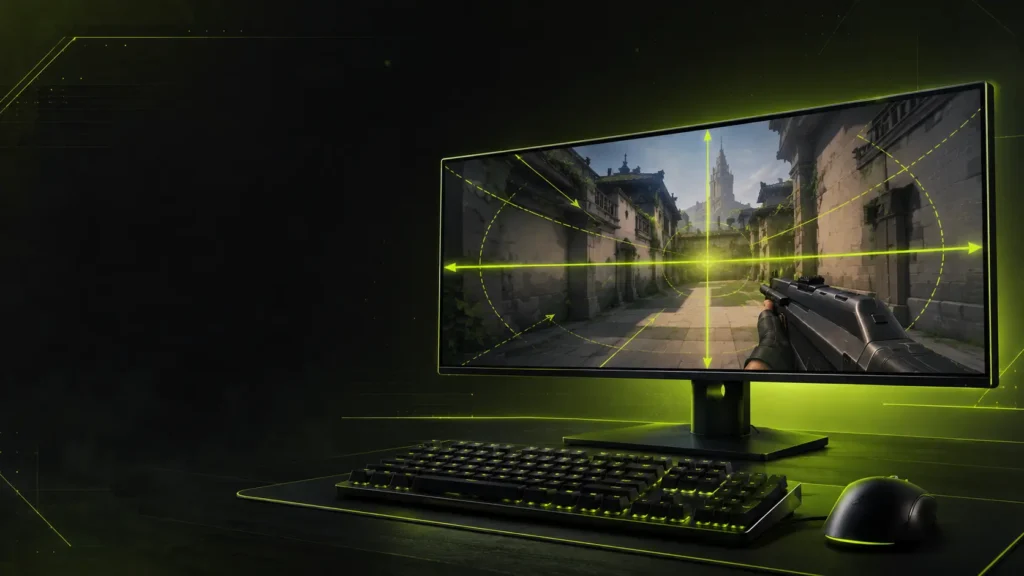
Valorant uses a fixed vertical FOV of 70.53° — which renders as 103° horizontal on a 16:9 monitor. That “103” you’ve seen quoted is the horizontal figure. There is no FOV slider in-game, and your horizontal field of view changes automatically based on aspect ratio. Use this calculator to instantly convert and understand your effective Valorant FOV across different monitor setups.
70.53°
Vertical FOV
(Fixed)
103.00°
HFOV on
16:9
Locked
No FOV
Slider
– CALCULATOR
Valorant FOV Calculator
Pre-configured for Valorant. Adjust your FOV and aspect ratios for instant accurate conversion.
Select an aspect ratio or enter your resolution, then hit Calculate to see your Valorant HFOV.
– Quick Explainer
Why Valorant FOV Is Different
Unlike games such as Apex Legends or Battlefield, Valorant does not allow players to adjust FOV manually. Riot Games locks the vertical FOV at 70.53° and the engine automatically derives horizontal FOV from your aspect ratio. This means every player shares the same vertical view angle — what changes between monitors is only how wide the horizontal slice extends.
Because of this architecture, players on ultrawide displays (21:9) see more horizontal information than those on standard 16:9, while 4:3 users see less. The key insight: on any aspect ratio, your vertical aim calibration stays identical.
– How to Use
Four Steps to Your FOV
01
Pick Your Ratio
Select monitor’s aspect ratio from the dropdown, or type in resolution.
02
Note the Fixed VFOV
Valorant locks vertical FOV at 70.53°. This never changes, on any monitor.
03
Calculate HFOV
Hit Calculate. Your effective HFOV for that aspect ratio appears.
04
Copy & Compare
Use the copy buttons to grab values and compare setups side by side.
– Reference Data
Valorant FOV Reference Table
| Aspect Ratio | Vertical FOV | Horizontal FOV | VS 16:9 |
|---|---|---|---|
| 5:4 | 70.53° | 82.95° | −20.05° |
| 4:3 | 70.53° | 86.63° | −16.37° |
| 16:10 | 70.53° | 97.05° | −5.95° |
| 16:9 ★ | 70.53° | 103.00° | Baseline |
| 21:9 | 70.53° | 117.57° | +14.57° |
| 32:9 | 70.53° | 136.60° | +33.60° |
★ Standard baseline. Values may vary slightly due to rounding. Calculated using HFOV = 2 × arctan(tan(VFOV ÷ 2) × Aspect Ratio).
– The Math
How Valorant Calculates Horizontal FOV
Valorant uses a fixed vertical FOV of 70.53°. Horizontal FOV is then derived using trigonometry:
HFOV = 2 × arctan( tan(VFOV ÷ 2) × Aspect Ratio )
— where Aspect Ratio = Width ÷ Height
HFOV
Horizontal Field of View — the result you need
VFOV
Vertical Field of View — always 70.53° in Valorant
AR
Aspect Ratio — Width divided by Height (e.g. 1920 ÷ 1080 = 1.7778)
Worked Example — 16:9 (1920×1080)
AR = 1920 ÷ 1080 = 1.7778
VFOV = 70.53° → VFOV ÷ 2 = 35.265°
tan(35.265°) = 0.7071
0.7071 × 1.7778 = 1.2571
arctan(1.2571) = 51.50°
HFOV = 2 × 51.50° = 103.00°
→ 103.00° HFOV on 16:9
– Pro Settings
Best Aspect Ratios for Competitive Valorant
16:9
103.00° HFOV · Most Common
The overwhelming majority of pro and ranked players use 16:9. Every community resource and tier list calibrates to this ratio. Standard, consistent, and universally supported.
16:10
97.05° HFOV · Slightly Taller
Produces a slightly taller image with marginally less horizontal coverage than 16:9. Some players prefer the extra vertical real estate, particularly for heads-up information density.
4:3 Stretched
86.63° HFOV · Visual Preference
A stretched 4:3 setup makes character models appear wider and more prominent. This does not increase actual FOV — it reduces horizontal view area. Used purely for visual preference.
21:9 Ultrawide
117.57° HFOV · Wider Image
Ultrawide delivers more horizontal peripheral information. Riot’s competitive ruleset for professional play may restrict ultrawide; check current tournament regulations before use in ranked/pro contexts.
– Competitive Guide
Does Higher FOV Help in Valorant?
Advantages of Wider HFOV
- Better peripheral awareness on wider angles
- More visible information at screen edges
- Easier to clear wide corners simultaneously
- Less surprised by off-angle flicks
Disadvantages
- Enemy models appear smaller at distance
- Heads become harder to click precisely
- Stretched visual distortion at extreme ratios
- Reduced detail on center-screen targets
Recommendation
Since vertical FOV is fixed by Valorant, the real variable is your aspect ratio. Most competitive players should stay with standard 16:9 — every guide, pro VOD, and crosshair placement resource is calibrated to it. Chase consistency over maximizing horizontal coverage.
– Game Comparison
Valorant vs Other FPS Games
| Game | FOV Slider | Default / Fixed FOV | FOV Axis |
|---|---|---|---|
| Valorant | No | 70.53° V (103° H on 16:9) | Vertical |
| CS2 | Limited | Engine-based, Hor+ | Horizontal |
| Apex Legends | Yes | 70°–110° H adjustable | Horizontal |
| Battlefield | Yes | Fully adjustable | Horizontal |
| Overwatch 2 | Yes | 80°–103° H adjustable | Horizontal |
– Informational
Understanding FOV in Valorant
Field of view — FOV — is the angle of the game world rendered on your screen at any moment. A wider FOV shows more of your surroundings; a narrower one zooms in. In most FPS games, players control this with a slider. In Valorant, they cannot. Riot Games locks the vertical FOV at 70.53° for all players, ensuring a level playing field on the most tactically important axis.
What Fixed Vertical FOV Actually Means
Vertical FOV is the angular measurement from the bottom to the top of your screen. At 70.53° vertical — 103° horizontal on 16:9 — Valorant sits squarely in the normal competitive range. What’s unusual isn’t the width, it’s that nobody can change it. Enemies at head height appear at a consistent angular position regardless of which monitor you use. This is intentional: your muscle memory for vertical aim transfers perfectly across every monitor setup, because the vertical relationship between you and targets never changes.
How Aspect Ratio Changes Your View
Aspect ratio is where individual setups diverge. Because the vertical FOV is fixed, a wider monitor simply extends the horizontal edges of the same cone. A 21:9 ultrawide player sees 117.57° horizontally — about 15° more than a 16:9 player’s 103.00°. A 4:3 player sees only 86.63°, roughly 16° less. This is why players switching monitors notice immediate differences in peripheral visibility, even though vertical aim muscle memory stays intact.
The Role of Resolution
Your exact pixel count matters only to derive the aspect ratio — 1920×1080 and 2560×1440 both produce 16:9 and therefore the same 103.00° HFOV. What matters to Valorant’s FOV engine is the ratio of width to height, not the raw resolution numbers.
Stretched Resolution Myths
A common misconception is that playing on a stretched 4:3 resolution — where a 1280×960 signal is displayed on a 16:9 monitor by stretching it horizontally — increases FOV. It does not. The game renders at 4:3, so Valorant’s engine computes a 4:3 aspect ratio, producing 86.63° HFOV. The monitor then stretches this image. The result is wider-looking character models, not a wider FOV cone. Players using stretched setups are making a visual preference choice, not a tactical FOV advantage.
Competitive Considerations
In ranked play, Valorant treats all aspect ratios the same — there is no restriction on 21:9 or ultrawide in standard matchmaking. Professional and tournament play is subject to Riot’s official ruleset, which has historically imposed restrictions on ultrawide use to maintain competitive parity. Players preparing for official competition should verify current regulations before relying on ultrawide advantages.
Does More HFOV Actually Win Gunfights?
More horizontal FOV means more information at the screen edges, which can help with peripheral awareness and angle clearing. The tradeoff is that enemies at the same distance occupy fewer pixels — heads become smaller targets. At Valorant’s highly precise aim requirements, the size reduction at extreme ratios can be a genuine disadvantage on head-level duels. Most high-ranked players find standard 16:9 optimal because aim training resources, crosshair placement guides, and pro player behavior are all calibrated to it.
Monitor Recommendations
For pure competitive Valorant, a 16:9 monitor is the safe choice. 1080p 240Hz or 1440p 165Hz monitors in 16:9 represent the current competitive sweet spot. If you are on 16:10, your HFOV drops slightly to 97.05° — close enough that most players adapt quickly. Ultrawide monitors are viable for casual and ranked play, but require awareness that professional resources and pro player content you study will show a narrower view than you see in your own game.
Common Mistakes Valorant Players Make
The most frequent error is assuming that copying a pro player’s resolution directly provides an identical experience. If a pro plays 1920×1080 on 16:9 and you run 2560×1440 on 16:9, your FOV is identical — resolution doesn’t matter. If you switch to 1920×1080 stretched on a 16:9 monitor (so the game renders at 4:3), your FOV narrows significantly and pro-resource angles won’t match your view. Always know the aspect ratio your game is rendering, not just the output resolution of your monitor.
– FAQ
Common questions about FOV.
Everything you need to know about FOV, gaming performance, and using our calculators.
Valorant uses a fixed vertical FOV of 70.53°, which renders as 103° horizontal on a 16:9 monitor. The “103” commonly quoted is the horizontal figure. This value is set by Riot Games and cannot be changed by the player. Your horizontal FOV is automatically calculated by the engine based on your monitor’s aspect ratio.
No. Riot Games does not provide an FOV slider in Valorant. The 70.53° vertical FOV is locked by the engine and applies to every player regardless of resolution, graphics settings, or monitor setup.
On a standard 16:9 monitor, Valorant’s horizontal FOV is 103.00°. This is the baseline that almost all pro players, crosshair placement guides, and community resources are calibrated to.
Stretched resolutions change image scaling and the perceived size of character models — not your actual field of view. When you play 4:3 stretched on a 16:9 monitor, the game renders at 4:3 (giving you less HFOV), and the monitor stretches that image horizontally. Enemies appear wider, but your actual view cone is narrower than 16:9.
No. Playing at 4:3 in Valorant reduces your horizontal FOV to 86.63°, which is roughly 16° less than the 103.00° you get on 16:9. The vertical FOV stays fixed at 70.53° on all aspect ratios.
The large majority of professional Valorant players compete on 16:9. Some players use stretched resolutions (typically 4:3 stretched to 16:9) purely for visual preference — wider character models — not for a FOV advantage, since it actually reduces horizontal FOV.
Ultrawide monitors can run Valorant and will produce a wider horizontal FOV of 117.57°. However, Riot’s competitive ruleset for professional and tournament play has historically imposed restrictions on ultrawide to maintain parity. Always check current tournament regulations before relying on ultrawide in official contexts.
Since FOV is locked in Valorant, there is no FOV to set — the only choice you have is your aspect ratio. For most competitive players, 16:9 is the strongest choice. It gives you 103.00° HFOV, and every guide, pro VOD, and aim training resource is calibrated to it. Consistency matters more than chasing a wider view.
Valorant uses the formula: HFOV = 2 × arctan(tan(VFOV ÷ 2) × Aspect Ratio), where VFOV is always 70.53° and Aspect Ratio = Width ÷ Height. For example on 16:9: HFOV = 2 × arctan(tan(35.265°) × 1.7778) = 103.00°.
Only the aspect ratio matters, not the raw pixel count. 1920×1080 and 2560×1440 both produce a 16:9 ratio and therefore the exact same 103.00° HFOV. What changes FOV is the ratio of width to height, not the resolution number itself.
Valorant locks vertical FOV at 70.53° and derives horizontal FOV from aspect ratio. CS2 uses a horizontal FOV system (Hor+) that scales with aspect ratio. Apex Legends lets you set horizontal FOV directly via a slider. Each game has a different FOV axis and different player control — which is why the same number means something completely different across games.
A wider aspect ratio (e.g. 21:9) gives you more peripheral information and can help with angle awareness. The tradeoff is that enemies occupy fewer pixels at the same distance, making precise headshots harder. Since Valorant demands high click accuracy, most top-ranked players find standard 16:9 optimal rather than pushing to ultrawide.
– RELATED TOOL