
Why Copying Your FOV to a New Monitor is Killing Your Aim
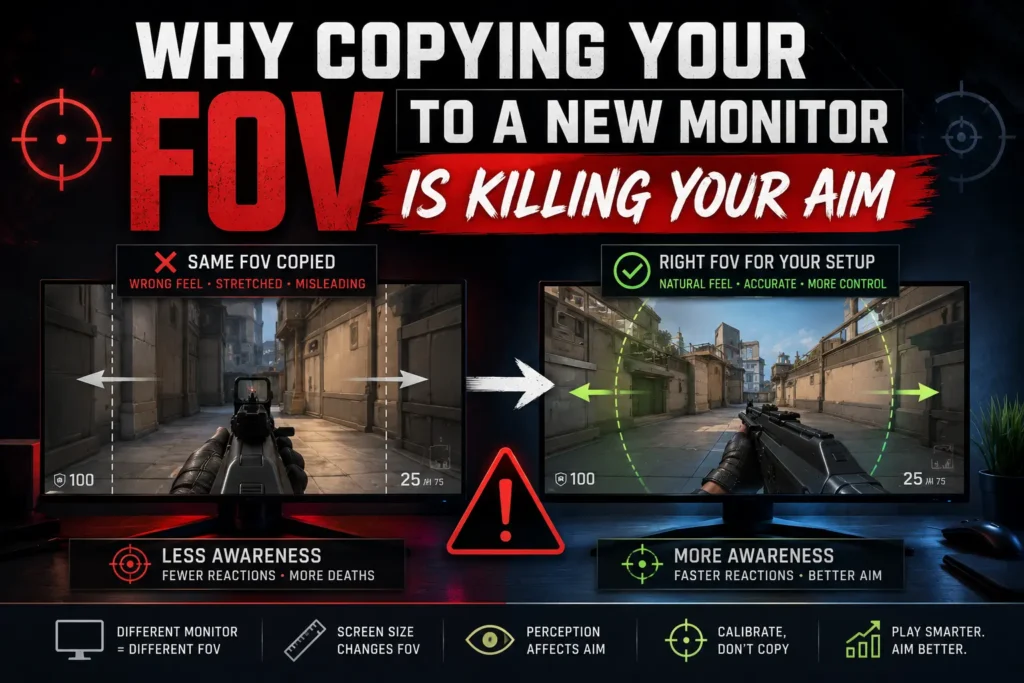
You just upgraded to a 21:9 ultrawide — or maybe dropped to a 4:3 stretched setup. You type in the same FOV number you’ve used for years. Everything feels off. Your flicks are overshooting. Your crosshair placement looks wrong. You assume it’s just muscle memory and grind through it.
It’s not muscle memory. Your FOV is actually different — even though the number is the same
6 mins read
The number doesn’t mean what you think it means
When you set FOV to 90 in a game, that number refers to an angle — either horizontal or vertical depending on the game engine. The problem is that angle is measured relative to your screen’s aspect ratio. Change the ratio, and the same number produces a completely different cone of vision.
A 90° horizontal FOV on a 16:9 monitor gives you a vertical FOV of around 59°. Move to a 21:9 monitor and keep horizontal FOV at 90°, and your vertical FOV drops to about 46°. The world looks more zoomed in vertically — enemies at head level appear smaller, your spatial calibration breaks.
The reverse happens on a 4:3 monitor. Your horizontal view narrows dramatically. Targets that used to sit at the edge of your screen are now out of frame entirely.
Why your aim breaks specifically
Aim is built on spatial memory. Your brain maps how far a target is from center screen, fires a signal to your hand, and your mouse moves a calibrated distance. This loop is trained over thousands of hours.
When your FOV changes — even slightly — the distance between you and any given point on screen changes too. A target that used to be 15° off-center is now 18° off-center. Your hand moves the same distance it always did, but overshoots. Every flick, every tracking movement, every micro-adjustment is now slightly wrong.
This is why even a 2–3° difference feels massive to experienced players. You’re not imagining it.
Horizontal vs vertical — why it matters which one your game uses
Different games handle FOV differently, which makes this even more confusing:
| Game | FOV Axis | Scales with AR? | What changes when you switch monitors |
|---|---|---|---|
| Counter-Strike 2 | Horizontal | Yes (Hor+) | FOV widens automatically on wider ratios. 90° on 4:3 becomes ~106° on 16:9 — your aim recalibrates but the game compensates. |
| Valorant | Vertical (locked) | No | Vertical FOV stays fixed at 70.53°. Switching to ultrawide expands horizontal view only — vertical aim muscle memory is preserved. |
| Apex Legends | Horizontal | No | What you set is what you get horizontally. On 21:9, vertical FOV shrinks — enemies appear smaller vertically, aim breaks. |
| Warzone | Horizontal | No | Same horizontal FOV on a wider monitor compresses your vertical view. Recalculate before switching setups. |
| Fortnite | Horizontal | No | FOV is fixed horizontally. Changing from 16:9 to 21:9 narrows vertical perspective — build awareness suffers without reconversion. |
If you switch from Valorant to CS2 and use the same number, you’re not even comparing the same axis. Players do this constantly and wonder why the games feel so different to aim in.
The right way to switch monitors
The correct approach is to convert — not copy. The goal is to preserve the same vertical FOV, because that’s the axis your aim is actually calibrated to. Your horizontal view will expand or contract based on the new ratio, but the vertical spacing between targets stays identical.
The math involves inverse tangent functions and isn’t something you want to do manually every time you change a setting. That’s exactly what our FOV converter handles — plug in your current FOV, your old aspect ratio, your new one, and get the correct converted value instantly.
The bottom line
Your aim is not broken. Your FOV is wrong. The number you’ve been using for years was calibrated to a specific screen — and the moment that screen changed, the number stopped meaning the same thing.
Convert it properly once, and you’ll feel right at home within minutes.
– RELATED TOOL
– RELATED GUIDES