Battlefield FOV Calculator
All 13 Games · Verified
HFOV/VFOV Conversion
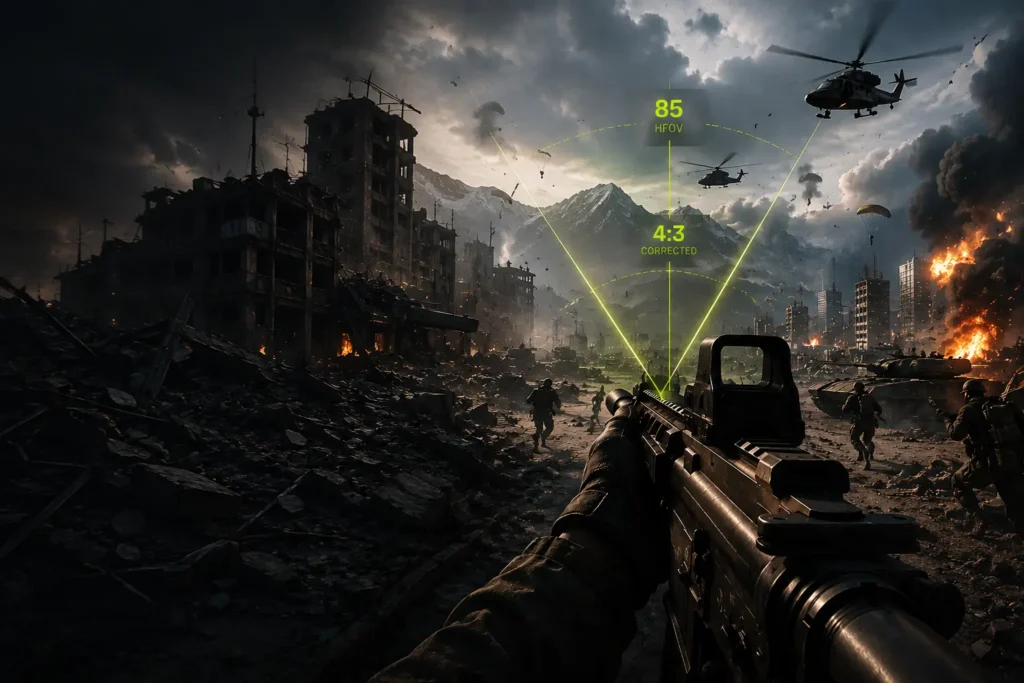
Battlefield handles FOV differently across its 13 titles. Most Frostbite-engine games use a 4:3-scaled vertical FOV — meaning the slider value does not equal the actual angle you see. This calculator converts accurately for every Battlefield game, recommends settings for your monitor and playstyle, and shows you exactly what value to enter in-game.
12
Battlefield
Games
4:3
Scale
Corrected
85–120
BF6
FOV Range
– CALCULATOR
Battlefield FOV Calculator
Select your game, enter your current FOV, set your display, then click Calculate FOV. Results appear on the right with the exact value to enter in-game.
then click Calculate FOV to see results here.
– FUNDAMENTALS
What Is FOV in Battlefield?
Field of View (FOV) is the angle of the virtual world your camera captures and renders on screen. A wider FOV shows more of the world to the left and right. A narrower FOV zooms in slightly, making objects appear larger but reducing what you can see around you.
FOV is measured in degrees and most Battlefield titles use values between 55° and 120°, though the valid range varies by game. The critical difference between Battlefield and most other FPS games is how the engine measures and applies the FOV slider value.
Horizontal FOV (HFOV)
The angle measured from the left edge to the right edge of the screen. Battlefield 6 uses HFOV directly — setting 90° means your camera captures exactly 90° of the horizontal world. This is the most intuitive system and requires no conversion on 16:9 displays.
Vertical FOV — 4:3-Scaled (Frostbite Engine)
Most Frostbite-engine Battlefield games — BF2042, BFV, BF1, BF4, BF3, and Hardline — use a 4:3-scaled vertical FOV. The slider value is measured as if your monitor were a 4:3 display, even if you are on a 16:9 widescreen. Setting 75 VFOV in BF4 does not produce 75° vertical view on your monitor — it produces approximately 91° HFOV on a 16:9 display. The calculator handles this conversion automatically for every affected game.
Bad Company 2 is the exception — it uses a pre-Frostbite engine with true display VFOV, where the slider value directly represents your actual vertical angle. Setting 50 VFOV in BFBC2 produces 79° HFOV on 16:9, because the formula uses your actual aspect ratio rather than a fixed 4:3 basis.
– TOOL GUIDE
How the Battlefield FOV Calculator Works
The calculator uses mathematically verified trigonometric formulas — the same ones used by professional sensitivity tools — to convert FOV values accurately across every Battlefield title.
FOV Conversion Formula
All HFOV ↔ VFOV conversions use the standard trigonometric formula:
VFOV = 2 × atan( tan(HFOV ÷ 2) × (Height ÷ Width) ).
For Frostbite 4:3-scaled games, the internal aspect ratio in the formula is fixed at 4:3, matching how the engine actually behaves — regardless of your display.
Aspect Ratio Conversion
When switching displays, the calculator first converts your FOV to a true HFOV, extracts the underlying VFOV using your current AR, then re-derives the correct output for the target AR. This preserves your actual visible image area rather than just copying the number — the most common mistake when changing monitors.
Ultrawide Adjustment
Ultrawide monitors (21:9, 32:9) show more horizontal content. The calculator scales recommendations proportionally using √(AR ratio) rather than a linear multiplier — producing a gentler, more geometrically accurate adjustment that keeps the image natural at wider aspect ratios.
Recommendation Engine
After conversion, the tool generates a recommended FOV based on your gameplay preference — competitive, balanced, immersive, vehicle-focused, or infantry-focused — clamped to the valid range for your specific Battlefield title. Vehicle FOV is calculated separately using a per-preference offset, since dedicated vehicle slots benefit from a wider view than infantry play. The results panel also shows the exact slider value to enter in-game — critical for Frostbite 4:3-scaled games where the slider number differs from the real angle you see.
– RECOMMENDATIONS
Best Battlefield FOV Settings
There is no single best FOV. The right setting depends on your monitor size, viewing distance, playstyle, and the specific Battlefield title. The ranges below are expressed in HFOV terms for 16:9 displays — use the calculator to convert to your game’s native type.
Competitive
95–115°
HFOV on 16:9 — maximum awareness for Conquest and Rush. Wider peripheral vision, faster flank detection.
Balanced
88–102°
HFOV on 16:9 — best starting point for most modes. Good awareness without shrinking targets too much.
Immersive
72–88°
HFOV on 16:9 — cinematic feel, closer zoom. Ideal for Operations, story modes, and atmospheric gameplay.
Best FOV for Competitive Players
Competitive Battlefield players overwhelmingly prefer 95–115° HFOV. The wider angle increases peripheral awareness, letting you spot flankers and incoming vehicles without turning the camera. In large Conquest matches where threats appear from almost any direction, this situational awareness is worth more than the slight reduction in apparent target size at long range.
Best FOV for Casual Players
For consistent, comfortable gameplay across all modes, 88–102° HFOV gives strong peripheral vision without the fish-eye effect visible at higher values. Enemies at medium range remain large enough to track accurately, and the visual distortion at screen edges is minimal.
Best FOV for Immersion
Players after a cinematic Battlefield experience — especially in Operations, WW1 BF1 battles, or WW2 BFV missions — often prefer 72–88° HFOV. The tighter angle creates a more natural, movie-like perspective. Explosions and environmental details look proportionally more dramatic at narrower FOV settings.
– DISPLAY TYPES
Best Battlefield FOV by Monitor Type
Your monitor’s size and aspect ratio both influence which FOV feels right. A larger screen at the same viewing distance already shows more physical world, so you need less digital FOV to achieve the same effective awareness. Use the calculator’s aspect ratio fields to find the exact equivalent when switching displays.
| Display | Aspect Ratio | Recommended HFOV | Notes |
|---|---|---|---|
| 1080p (24–27″) | 16:9 | 90–105° | Most common setup. Start at 100° and adjust from there. |
| 1440p (27–32″) | 16:9 | 88–103° | Larger physical size means slightly less digital FOV needed. |
| 4K (32–43″) | 16:9 | 85–100° | Very high FOV can look overstretched on large 4K panels. |
| Ultrawide (34″) | 21:9 | 100–115° | 21:9 shows 33% more horizontal content. Keep VFOV below 80 in Frostbite games to avoid fisheye. |
| Super Ultrawide | 32:9 | 108–125° | Dual-monitor width. Fisheye risk is high above 85 VFOV in Frostbite titles. |
Use the calculator’s aspect ratio conversion fields to find the exact equivalent of your 16:9 FOV preference on an ultrawide display. A setting that feels natural on a 16:9 monitor will feel too narrow on a 21:9 display, because the game is now rendering a wider horizontal slice of the world.
– GAMEPLAY CONTEXT
Battlefield FOV — Infantry vs Vehicles
Battlefield’s separate vehicle and infantry FOV sliders (available in BF6 and BF2042) exist for a reason. The demands of foot-soldier precision and vehicle situational awareness are genuinely different — and your FOV settings should reflect that.
Infantry Gameplay
88–103° HFOV
- Tighter FOV improves target tracking at medium range
- Recoil patterns easier to read at 90–100°
- CQB and aggressive play benefits from up to 105°
- Snipers and long-range players: 88–95° recommended
- Use the dedicated infantry slider in BF6 and BF2042
Vehicle Gameplay
100–118° HFOV
- Wider view critical for threat detection at speed
- Jets and helicopters benefit most — aim for 110°+
- Tank crews need side awareness: 100–110° optimal
- Naval vehicles: 105–115° HFOV recommended
- BF6 and BF2042 have a dedicated vehicle FOV slider
Why Use Different FOV for Infantry and Vehicles?
In infantry mode, your primary challenge is precision — tracking a target at 150m while managing recoil. A slightly narrower FOV makes that target appear larger and easier to hit. In a jet or tank, precision matters less than knowing where the threat is coming from. You move at high speed across large maps, and the extra degrees of peripheral vision can be the difference between a reactive dodge and an ambush you never saw.
Battlefield 6 and BF2042 both provide separate FOV sliders for infantry, vehicle 3rd-person, and ADS. Set them independently. There is no reason your tank FOV and your sniper-rifle ADS FOV should be the same value.
– PERFORMANCE IMPACT
Battlefield FOV and Performance
Does Higher FOV Reduce FPS?
Yes, but the impact is modest in modern Battlefield titles. A wider FOV renders more of the game world — more geometry, more characters, more effects — which increases GPU workload. In practice, going from 80° to 110° HFOV typically costs between 3–8% GPU performance depending on scene complexity and hardware.
On high-end GPUs (RTX 4070 and above) this difference is negligible. On mid-range hardware (RTX 3060, RX 6700), you may see 4–6 fps drops in demanding scenes like large Conquest maps with many players in view.
CPU Impact
FOV changes also affect CPU load marginally, as more objects enter the visibility frustum and require AI processing, physics simulation, and draw call preparation. Again, the effect is small but measurable on CPU-limited systems.
Recommendations for Lower-End Systems
If you are frame-rate limited, keep FOV in the 85–95° HFOV range rather than pushing to 110°+. The performance saving is worth more than the marginal peripheral awareness gain, and 90° HFOV already provides strong situational awareness for most Battlefield modes.
Priority order: Frame rate stability → Consistent input lag → FOV preference. A game running at 60fps with 90° FOV plays better than a game stuttering at 45fps with 110° FOV.
– COMMON MISTAKES
Common Battlefield FOV Mistakes
Most FOV problems come from a handful of repeatable errors. Here is what to avoid and how to fix each one.
Using Excessively High FOV on Standard Monitors
FOV above 110° HFOV on a standard 24–27” 16:9 monitor produces visible barrel distortion and makes enemies at medium range genuinely hard to hit. Fix: cap at 105° HFOV unless you have tested it extensively and your aim data supports going higher.
Copying Pro Settings Without Adjusting for Your Setup
Professional players typically use 27–32” monitors at 50–60cm viewing distance. A pro’s setting that feels perfect at that distance will feel cramped or overly wide at your distance. Fix: enter your actual monitor size and viewing distance into the calculator, then convert the pro’s setting to find your equivalent.
Ignoring Aspect Ratio When Switching Monitors
Moving from a 16:9 to a 21:9 display and keeping the same FOV number produces a dramatically different visual experience — usually too narrow on ultrawide. Fix: use the AR conversion fields in the calculator to find the equivalent setting for your new display that preserves the same vertical view.
Confusing HFOV & VFOV Values Across Battlefield Titles
A BF4 slider value of 74 is not the same as BF6 FOV value 74 — one is 4:3-scaled VFOV, the other is direct HFOV. Mixing them produces noticeably wrong results. Fix: always select the correct game in the calculator first. It automatically sets the right FOV type and conversion method.
Not testing before committing
FOV changes take 2–3 full play sessions to feel natural, not 2 minutes in the practice range. Switching back too quickly means you are always adapting and never evaluating. Fix: change your FOV at the start of a session and keep it for the entire session before deciding whether it works.
– CONVERSION REFERENCE
Battlefield FOV Conversion Guide
FOV conversion is needed any time you change monitors, switch between Battlefield titles, or want to understand what a recommended setting actually means on your display.
Moving from 16:9 to Ultrawide (21:9)
If your preferred FOV on 16:9 is 90° HFOV, the equivalent setting on 21:9 that preserves the same vertical view is approximately 106° HFOV. The horizontal field expands because you now have more screen width, but the vertical angle stays constant. Use the target aspect ratio field in the calculator to find the exact value.
Moving Between Battlefield Titles
If you play BF4 at slider value 74 (= 90° HFOV on 16:9) and want the same view in Battlefield 6, enter 90 in the BF6 FOV field — because BF6 uses HFOV directly. If moving to BFV, you want VFOV slider value 74 again, because BFV uses the same 4:3-scaled system as BF4.
Common Conversion Reference
| Real HFOV (16:9) | BF4 / BFV / BF1 slider | BF2042 slider | BF6 value | BFBC2 slider |
|---|---|---|---|---|
| 80° | 66 | 66 | 80° | 47 |
| 87° | 70 | 70 | 87° | 53 |
| 90° | 74 | 74 | 90° | 55 |
| 100° | 80 | 80 | 100° | 62 |
| 106° | 85 | 85 | 106° | 66 |
| 116° | 90 (max) | 90 | 116° | 74 |
BF4/BFV/BF1/BF2042 slider values use Frostbite 4:3-scaled VFOV formula. BFBC2 uses true display VFOV on 16:9. BF6 uses HFOV directly — no conversion needed.
– FAQ
Common Battlefield FOV questions.
Everything you need to know about FOV settings, conversion, and performance in Battlefield games.
There is no single best value, but 90–100° HFOV on a standard 16:9 monitor is the most widely recommended starting point across all Battlefield titles. It balances peripheral awareness with target clarity at medium range. Competitive players often push to 100–110°, while immersion-focused players may prefer 80–90°. Use the calculator to find your ideal value based on your specific display and playstyle.
It depends on context. Higher FOV improves situational awareness and peripheral vision, which helps in large-scale modes like Conquest where threats come from many directions. However, it makes enemies appear smaller at range, which can hurt accuracy in medium-to-long-range engagements. The improvement is real for awareness — the cost is real for precision. Most competitive players find a FOV between 95–110° HFOV gives the best overall result.
FOV does not change how the engine calculates recoil, but it changes how recoil appears on screen. At a wider FOV, recoil kick looks smaller because the gun movement occupies a smaller proportion of the total screen angle. Some players find recoil easier to control at higher FOV for this reason. Others find the visual feedback harder to read. The actual bullet deviation pattern and spread values are completely unaffected by your FOV setting.
Yes, modestly. Higher FOV renders more objects in the scene, increasing GPU workload. Moving from 80° to 110° HFOV typically costs 3–8% GPU performance. On high-end hardware (RTX 4070+) this is negligible. On mid-range systems close to their performance limit, consider keeping FOV at 85–95° to preserve frame rate stability. Frame rate consistency and low input lag always matter more than the last few degrees of peripheral vision.
Most competitive Battlefield players use 90–110° HFOV, with many landing around 100–106°. In 4:3-scaled VFOV terms (BF4, BFV, BF1, BF2042), this corresponds to slider values of roughly 80–85. Exact preferences vary by role — snipers and long-range players tend toward 90–95° HFOV, while aggressive CQB-focused players often use 105–110°. Always adjust pro settings to your own monitor size and viewing distance using the calculator, since a setting that works on a pro’s 27” monitor at 50cm may feel very different on your setup.
For most players on standard 16:9 monitors, 120° HFOV is at the upper limit of usability. Barrel distortion becomes significant, enemies at medium range appear noticeably small, and performance cost increases. On ultrawide 21:9 displays, 120° HFOV is more reasonable — the wider screen naturally handles the wider angle with less distortion. Only BF6 officially supports up to 120° HFOV. In older Frostbite titles the slider maximum of 90 VFOV already produces roughly 116° HFOV on 16:9, which is close to the practical ceiling.
On 21:9 ultrawide displays, 100–115° HFOV is the typical sweet spot. Use the calculator to convert your preferred 16:9 FOV to 21:9 — the result preserves your vertical view angle while expanding the horizontal. For Frostbite VFOV-scaled games like BFV, BF1, BF4, and BF2042, keep the slider at or below 80 VFOV on ultrawide to avoid the fisheye distortion that appears at high values on wide displays.
Yes. Vehicle gameplay demands wider situational awareness, especially in aircraft and at high speeds. Add 8–12° HFOV for vehicle settings compared to your infantry FOV. Battlefield 6 and BF2042 both have dedicated vehicle FOV sliders — use them and set them independently. For older titles without separate sliders, decide whether you spend more time in vehicles or on foot and choose your single FOV value accordingly.
Select your game, enter your current FOV value, set your current and target aspect ratios in the calculator above, then click Calculate FOV. The tool converts via the true vertical FOV — the anchor that stays constant when only the horizontal angle changes — and outputs the correct value for your new display. For Frostbite 4:3-scaled games, the results panel also shows you exactly what slider number to enter in-game, not just the theoretical HFOV.
Definitively yes — up to a point. Each additional degree of FOV shows more of the world simultaneously, which means more opportunities to spot enemies, vehicles, and objectives without moving the camera. The practical limit is around 110° HFOV on 16:9, where distortion starts degrading image quality and targets become too small to read quickly. Beyond that point, wider FOV stops helping awareness and starts hurting aim.
– RELATED TOOL