Fortnite FOV Calculator – Find Your Perfect Field of View Settings
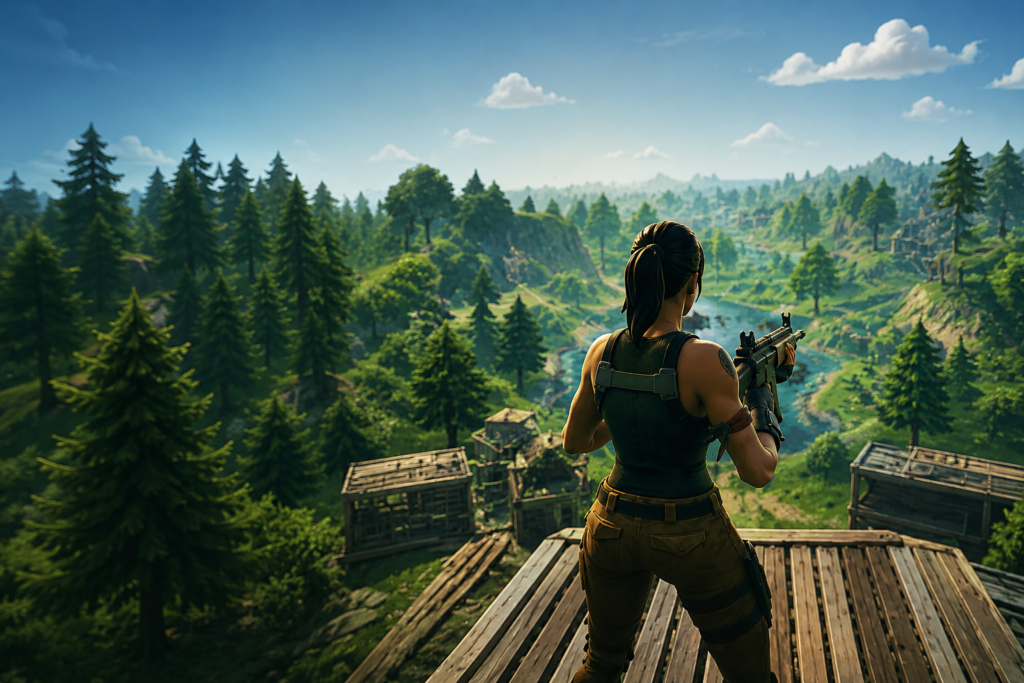
Fortnite rewards fast reactions, precise building, and strong situational awareness. Use our Fortnite FOV Calculator to compare field of view values across different aspect ratios and display setups. Whether you’re focused on competitive Arena play, Zero Build matches, or casual gameplay, find the FOV settings that help you track opponents more effectively, improve awareness, and maintain comfortable visibility during long sessions.
Battle Royale
Competitive Focus
Wide Vision
Track More Players
Build Faster
Improved Awareness
– CALCULATOR
Fortnite FOV Calculator
Get your exact Fortnite FOV Minimum and Maximum values based on your monitor, resolution, seating distance, playstyle, and input method. Every recommendation includes a clear explanation.
– Quick Explainer
What is FOV in Fortnite?
Field of View (FOV) is the angle of the game world your camera captures on screen. A wider FOV shows more of the environment around you — more of what is happening at the edges. A narrower FOV is more zoomed in, making distant targets appear larger but cutting what you can see to the sides.
Fortnite is a third-person shooter — your character is visible on screen and the camera sits behind and above them. This means the same FOV number feels wider in Fortnite than in a first-person game like CS2 or Apex Legends. It also means FOV affects not just shooting but building, editing, and spatial awareness in ways that do not apply in most other games.
Unlike most shooters that use a single FOV slider, Fortnite uses two: FOV Minimum and FOV Maximum. Both default to 80 degrees. The camera transitions between these two values depending on what you are doing — sprinting, building, aiming — giving the movement a subtle dynamic feel.
– Understanding the sliders
FOV Minimum & FOV Maximum Explained
Fortnite splits its FOV system into two values rather than a single number. This is different from almost every other shooter and confuses most new players. Here is what each one controls.
Primary setting
FOV Maximum
80–100°
Your primary open-play view. What you see while running, building, and fighting. This controls how much of the environment is visible at any given moment. Set this first — it has the biggest gameplay impact.
Secondary setting
FOV Minimum
70–90°
The narrower view used during ADS and precision moments. Setting it lower than Maximum creates a subtle zoom-in when aiming. Most players use a gap of 8 to 15 degrees between the two. Setting both equal gives a fully fixed FOV with no camera shift.
– Why it matters
How FOV affects Fortnite gameplay
FOV affects Fortnite differently than it affects other shooters because of the building system. You are not just shooting — you are building, editing, rotating, and reading structures in real time. Each of these actions interacts with FOV in a specific way.
Close range
Box fights
Wider FOV lets you see more of the structure around you simultaneously. You can track an opponent moving through multiple pieces without rotating the camera — reducing the adjustments needed per second in close-quarters fights.
Mechanics
Editing
A wider FOV makes the edit grid appear larger on screen, which can improve targeting accuracy on individual tiles. You can also see the area beyond an edit before committing — knowing what is waiting on the other side before you open the piece.
Positioning
Vertical tracking
Opponents moving vertically through builds are harder to follow on narrow FOV. A wider view keeps more of the build structure visible, so you can track vertical movement without constantly readjusting your camera up and down.
Late game
Endgame awareness
Late-game zones are dense with players and structures. A wider FOV gives you a broader read of the environment — helping you spot incoming third parties, identify rotation lanes, and react to threats before they reach you.
– Mode-specific
Fortnite Zero Build — FOV considerations
Zero Build changes the FOV equation. Without structures to build for cover, your ability to read open terrain becomes your primary survival tool. You cannot create walls when a flanker appears — you need to see them before they close the gap. This is why Zero Build players consistently benefit from a higher FOV Maximum than standard BR players.
Standard BR: Building gives you control over sightlines. You can place walls to block visibility, so raw peripheral awareness matters less. Most players land between 88° and 95°.
Zero Build: You cannot create cover. Seeing threats early is your main defence. A wider FOV Maximum — typically 5 to 10 degrees higher than your standard BR setting — is consistently beneficial. Most competitive Zero Build players use 95° to 100°.
Playing both modes: Keep two values in mind. Switch your FOV Maximum in settings before queuing each mode. The extra 30 seconds is worth the difference in peripheral coverage.
– Input method
Controller vs Keyboard & Mouse FOV
Your input method significantly affects the right FOV choice in Fortnite — more than in most other games. Fortnite aim assist strength and consistency changes with FOV. Controller players and KBM players should use different values even at the same skill level and playstyle.
Gamepad
Controller
- Aim assist is calibrated for tighter FOV ranges
- At wide FOV the aim assist bubble can feel unpredictable
- Stick movement is more sensitive to target size changes
- Narrower FOV keeps targets larger and more consistent to track
Recommended — FOV Max: 80 to 92°
Mouse input
Keyboard & Mouse
- Precision scales well across the full FOV range
- No aim assist dependency — wider FOV is lower risk
- FOV change affects effective sensitivity — recalibrate after
- Wider FOV leverages the accuracy advantage of mouse input
Recommended — FOV Max: 90 to 100°
– What to avoid
Common Fortnite FOV mistakes
❌ Copying a streamer’s exact FOV settings
Their monitor size, resolution, and seating distance are almost certainly different from yours. Their 100° may feel equivalent to your 90° or 110° depending on the physical setup difference. Use the calculator above to find the right value for your actual situation.
❌ Changing FOV right before a ranked session
Your muscle memory is calibrated to your previous FOV. A significant change affects your aim, distance judgment, and spatial awareness. Always test in Creative for at least 15 to 20 minutes and play a few casual matches before queuing ranked.
❌ Pushing both sliders to maximum
Setting both Min and Max to 100° causes noticeable edge distortion on standard monitors and slightly reduces FPS. More is not always better — the right value depends on your physical setup, not the highest number the slider allows.
❌ Using the same FOV when switching between controller and KBM
Controller players typically need 5 to 10 degrees less FOV Maximum than KBM players for equivalent aim assist performance. If you switch input methods, recalculate using the tool above with the correct input method selected.
– SETTINGS Step by step
How to change FOV in Fortnite
01
Open the game menu
Press Escape during a match or from the lobby to open the main menu.
02
Go to Settings
Click the gear icon or select Settings from the menu options.
03
Open the Game tab
The Game tab is where camera and FOV settings live — not Video or Display.
04
Scroll to FOV Min & FOV Max
Both sliders are in the Camera section. Enter your recommended values from the calculator above.
05
Apply and test in Creative
Hit Apply. Do not jump straight into ranked — spend 15 to 20 minutes in a Creative aim course or box fight map first.
– TESTING
How to test new FOV settings
Never take a new FOV straight into ranked. Your aim and spatial feel are calibrated to your previous setting. Follow this process every time you make a significant FOV change.
01
Enter your values in settings and apply. Do not queue a match yet.
02
Open a Creative aim course or box fight map. Spend 15 to 20 minutes moving, aiming, and getting comfortable with the new feel.
03
KBM players: check your sensitivity. Changing FOV changes your effective sensitivity. Adjust your in-game sensitivity if shots feel off after the change.
04
Play a few casual matches before returning to ranked. Real game conditions help you adapt without risking your rank.
05
Give it a full session before judging. FOV changes that feel wrong in the first five minutes often feel natural after 30 to 60 minutes of play.
– Platform coverage
FOV availability by mode and platform
| Mode / Platform | FOV Adjustable | Notes |
|---|---|---|
| Battle Royale — All platforms | Yes | PC, Mac, PS4/PS5, Xbox One/Series, Switch, Android |
| Zero Build | Yes | Same Min and Max sliders as standard BR |
| Ranked and Competitive | Yes | 21:9 ultrawide blocked in official competitive modes |
| Fortnite Ballistic | No | First-person mode — FOV slider not available |
| LEGO Fortnite | Yes | Third-person mode — sliders available |
– Reference data
Fortnite HFOV to VFOV conversion table
Fortnite’s sliders set horizontal FOV. Your vertical FOV is calculated automatically from HFOV and aspect ratio — the game never shows you this number directly. All values are mathematically verified using the formula: VFOV = 2 × atan( tan(HFOV ÷ 2) ÷ aspectRatio ).
| HFOV | VFOV 16:9 | VFOV 16:10 | VFOV 4:3 | Feel |
|---|---|---|---|---|
| 70° | 43.0° | 47.3° | 55.4° | Narrow — large targets, low awareness |
| 75° | 46.7° | 51.2° | 59.8° | Slightly narrow — good FOV Minimum value |
| 80° ← default | 50.5° | 55.3° | 64.4° | Balanced — Fortnite default for both sliders |
| 85° | 54.4° | 59.6° | 69.1° | Comfortable — common FOV Minimum value |
| 90° | 58.7° | 64.0° | 73.7° | Wider — more peripheral coverage |
| 95° | 63.1° | 68.8° | 78.7° | Wide — strong awareness, test aim impact |
| 100° ← max | 67.7° | 73.4° | 83.6° | Maximum — best awareness, small FPS cost |
– FAQ
Common questions
Everything you need to know about FOV, gaming performance, and using our calculators.
At close and medium range, yes. A wider field of view lets you see more of the scene, making it harder for opponents to approach from the edge of your screen unnoticed. In box fights, tracking a player rotating around you is significantly easier at 95° than at 80°. At long range the advantage reverses — wider FOV makes distant targets appear smaller, hurting sniper accuracy. The optimal value depends on your primary engagement distance and playstyle.
Yes — and this is the most overlooked side effect. Your DPI and in-game sensitivity stay the same numerically, but the physical distance you move the mouse to cover a given angle on screen changes. A wider FOV means the same mouse movement covers a larger angle — your sensitivity effectively increases. Revisit your sensitivity and aim training after any significant FOV change, especially when moving more than 10° in either direction.
Most competitive players run FOV Maximum between 90° and 100°, with 95–100° being most common in Zero Build and 88–95° in traditional build play. Controller players tend to run 3–5° tighter than KBM players at the same playstyle level. Very few pros run below 85° in any mode — the awareness loss is considered too large a trade-off at high levels.
Because perceived FOV is a product of the setting and the physical angle your monitor subtends at your eye position. A 32″ monitor at 60 cm physically covers a much larger share of your total field of vision than a 24″ monitor at the same distance. The in-game value sets how many degrees of the virtual world map to your screen — but how wide that feels in reality depends on how much of your actual field of vision the screen fills. That is why this calculator adjusts based on both monitor size and seating distance.
Slightly. A wider FOV renders more of the scene, increasing the number of objects the GPU draws per frame. The impact is small on modern hardware — typically 2 to 5 FPS difference between 70° and 100° on a mid-range GPU. If you are already bottlenecked, setting FOV closer to 80° is a minor optimization, but rarely a worthwhile trade-off given the awareness cost.
Yes. Fortnite saves your FOV settings globally, but you can manually change them before each session. Many players keep a slightly tighter value for ranked play — where precision matters more — and a wider value for casual or Zero Build sessions where situational awareness is the priority.
– RELATED TOOL