
Call of Duty FOV Calculator
See What Your Slider
Actually Gives You
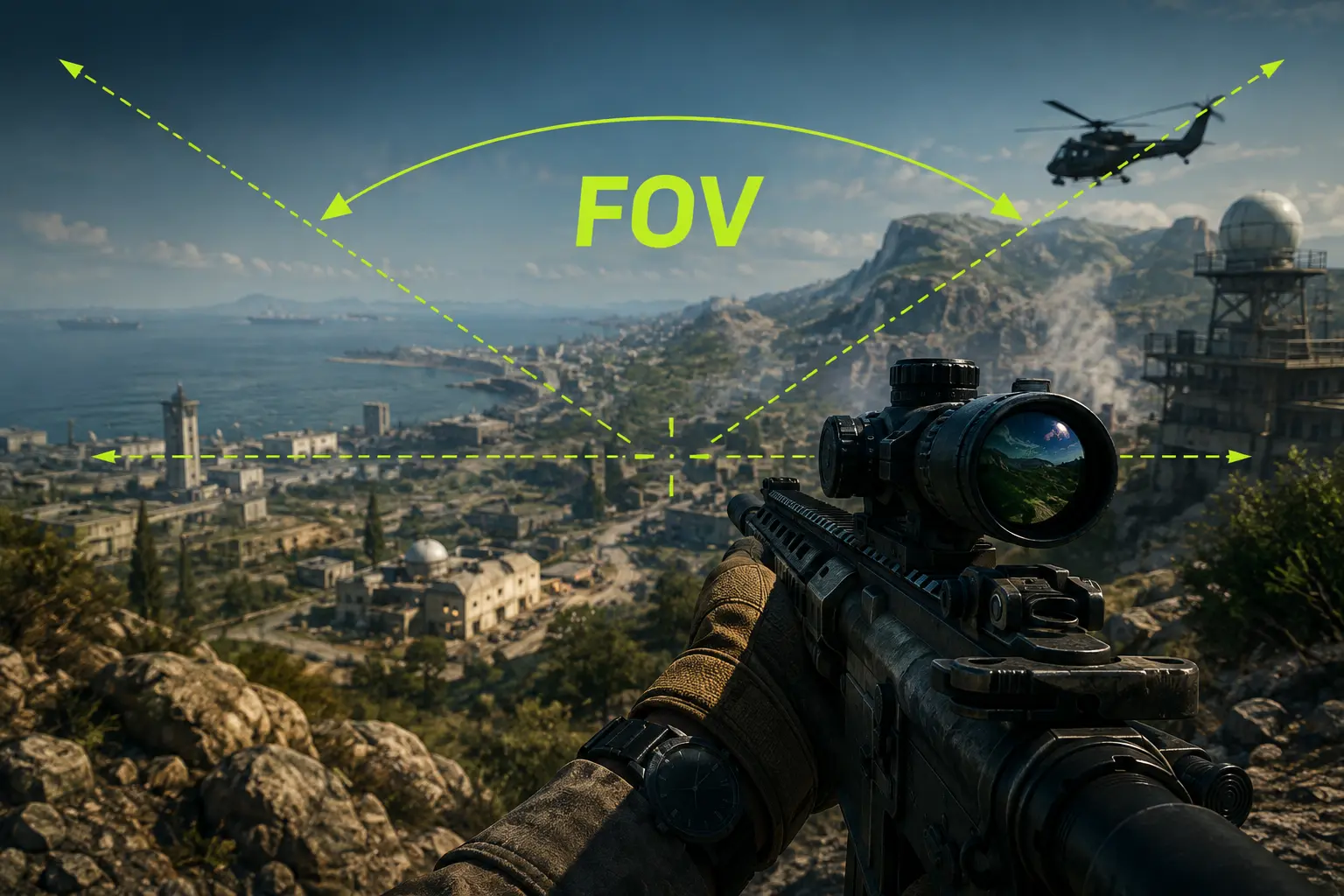
Call of Duty’s FOV slider runs 60–120, and the number it shows you is horizontal field of view measured at 16:9. On any wider display you actually get more than the slider says. This calculator shows your true horizontal, vertical and diagonal FOV, and what changes when you switch monitors.
60–120
Slider
Range
16:9
Slider
Reference
Hor+
Ultrawide
Scaling
– CALCULATOR
Call of Duty FOV Calculator
Enter the number on your in-game slider, pick your display, and the calculator returns the field of view you’re actually rendering — plus a recommended range for your input device and mode.
60 — narrow120 — max
The number shown in Settings → Graphics → View.
Enter your slider value, pick your display and input device, then calculate.
– Quick Explainer
What Call of Duty’s FOV Slider Actually Measures
Field of view is the angle of the world your camera captures. Call of Duty exposes it as a slider from 60 to 120, and that number is horizontal field of view measured at a 16:9 reference in every title from 2019 onward.
Both halves of that sentence matter. Horizontal means the number describes left-to-right coverage, not top-to-bottom — so a Call of Duty 103 and a game that uses vertical FOV at 103 are describing completely different views. The 16:9 reference means the slider is calibrated for a standard widescreen monitor, and anything wider behaves differently.
Call of Duty uses Hor+ scaling: your vertical field of view stays locked to whatever the slider implies at 16:9, and horizontal expands to fill a wider screen. Run 103 on an ultrawide and you are not seeing 103° across — you’re seeing closer to 118°, with exactly the same vertical view as the 16:9 player next to you.
– How to Use
Four Steps to Your FOV
01
Enter Your Slider Value
The number in Settings → Graphics → View, anywhere from 60 to 120.
02
Pick Your Ratio
Your monitor’s aspect ratio. This decides how much you really see.
03
Set Input & Mode
Controller or mouse, multiplayer or Warzone. Both shift the range.
04
Calculate & Copy
Read your true FOV and suggested range, then copy the full breakdown.
– Reference Data
Call of Duty FOV Conversion Table
| Slider | Vertical | H on 16:9 | H on 21:9 | H on 32:9 |
|---|---|---|---|---|
| 80 | 50.5° | 80.0° | 95.5° | 118.4° |
| 90 | 58.7° | 90.0° | 105.9° | 127.5° |
| 100 | 67.4° | 100.0° | 115.1° | 134.7° |
| 103 | 70.5° | 103.0° | 117.6° | 136.6° |
| 110 | 77.6° | 110.0° | 123.8° | 141.4° |
| 120 | 88.5° | 120.0° | 132.5° | 147.8° |
Read the ultrawide columns carefully. The slider number never changes, but the view you actually get does — an ultrawide player on 103 is rendering roughly 15° more horizontal world than a 16:9 player on the same setting, while both see the identical vertical slice.
– Camera Settings
ADS Field of View: Affected vs Independent
The main slider gets all the attention, but ADS Field of View changes more about how a gunfight feels. It sits directly beneath the FOV slider, sometimes behind a “Show More” toggle.
Affected: your ADS view scales with the main slider, so aiming keeps a wide field of view. You retain awareness while aimed, which suits close and mid-range fights. The cost is less magnification, so distant targets stay small when you aim.
Independent: ADS ignores your slider and uses the game’s default zoom. You get more magnification when aiming regardless of how wide you run, which helps at range and on controller. The cost is a jarring snap between hip-fire and ADS if your base FOV is high.
Which to pick: there’s no consensus. Test both at your chosen slider value — the difference is immediately obvious in a single match. Weapon Field of View is separate and cosmetic; it moves your gun model, not your view.
– Recommended Settings
Best Call of Duty FOV by Player Type
These are editorial recommendations, not official settings. FOV interacts with monitor size, sitting distance and input device — the difference between 105 and 110 matters far less than picking one and staying there.
105–115
Competitive Multiplayer
Small maps, constant rotations. Seeing the flank first decides more gunfights than target size does. Most mouse players settle here.
100–120
Warzone
Third parties arrive from angles you did not pick. Awareness outweighs distant target size, and the map gives you room to use it.
95–110
Controller Players
Stick precision degrades as targets shrink on screen. Most controller players settle a notch below mouse players for that reason.
95–105
Ultrawide Users
The ratio already adds ~15° horizontally. Running 120 on 21:9 renders over 132° and distorts heavily at the screen edges.
– Performance
Is Higher FOV Always Better?
No — and the honest version of this answer has costs on both sides.
What higher FOV gives you
Earlier detection of flanks entering your periphery. Less tunnel vision during fast rotations and slides. A stronger sense of speed. More room to read a room the instant you enter it.
What it costs you
Smaller enemies at every distance, hurting long-range accuracy. Visible barrel distortion near the edges at the top of the range. More rendered geometry, so a real if modest frame rate cost. Motion discomfort for some players.
FOV does not change hitboxes, recoil or damage. It changes what you can see and how large it appears, nothing about the underlying simulation. A shot that connects at 80 connects at 120 — you just have a different amount of visual information when you take it.
– Game Comparison
Call of Duty vs Other Shooters
| Game | FOV Range | Axis | Slider |
|---|---|---|---|
| Call of Duty | 60–120 | Horizontal @ 16:9 | Yes |
| Apex Legends | 70–110 | Horizontal | Yes |
| Escape from Tarkov | 50–75 | Vertical | Yes |
| Overwatch 2 | 80–103 | Horizontal | Yes |
| Valorant | Fixed 103° V | Vertical (locked) | No |
Don’t read across this table as if the numbers are interchangeable. Call of Duty’s 103 and Tarkov’s 75 describe different axes measured from different references. Converting between games only works once you know which axis each one uses — that’s what the calculator above is for.
– Informational
How to Choose Your FOV
Start at 100 regardless of what you currently run. It sits in the useful band for every input device and mode, and gives you a neutral point to move from. Then adjust in steps of 5, never more.
Console and PC now match
This used to be one of the biggest fairness arguments in the franchise. Modern Warfare (2019) and the original Warzone shipped with a PC-only slider, leaving console players locked at 80 while PC ran 120. Infinity Ward said at the time a console slider wasn’t coming, citing performance concerns. That gap has since closed — Black Ops Cold War shipped a console slider, Vanguard followed, and it has been standard since. The remaining difference is hardware headroom, not access.
Give every change several matches
Any FOV change feels wrong for the first hour whether or not it’s right for you, because your sense of how far a target sits from centre screen has to recalibrate. Judging after one match tells you about novelty, not quality. If players keep appearing beside you with no warning, go up. If you keep losing mid-range gunfights you feel you should win, come down.
Factor in your physical setup
A 24-inch monitor at arm’s length and a 32-inch panel two feet from your face present completely different images at identical settings. Larger and closer means the screen edges already occupy your peripheral vision, and a high FOV pushes information into a zone your eyes aren’t actually reading. That’s why competitive play has stayed on 24 to 27-inch displays.
Common mistakes worth avoiding
Going straight to 120 because it’s the maximum. Copying a pro’s number without matching their monitor, sitting distance or input device. Changing FOV every few matches so muscle memory never settles. Forgetting ADS Field of View exists. If you also play other shooters, run your value through our FOV converter before copying it across — and see horizontal vs vertical FOV explained for why the gap between games is so large.
– FAQ
Common questions about Call of Duty FOV.
The slider, ADS settings, aspect ratios, platforms and performance.
Most players land between 100 and 115. Mouse and keyboard players tend to sit at the top of that band, controller players slightly lower at 95–110 because stick precision falls off as targets shrink. There is no single correct value — it depends on your monitor size, sitting distance and input device.
Horizontal, measured at a 16:9 reference in every title from 2019 onward. So a slider value of 103 means 103° of left-to-right view on a standard widescreen monitor, which works out to about 70.5° vertically. Titles before 2019 used a 4:3 reference instead.
Yes, in current titles. This was a major fairness complaint during Modern Warfare 2019 and the original Warzone, which locked console players at 80 while PC ran up to 120. Black Ops Cold War introduced a console slider, Vanguard followed, and it has been standard since.
Affected keeps your wide view while aiming, which suits close and mid-range fights and aggressive movement. Independent uses the game’s default zoom regardless of your slider, giving more magnification at range. There is no consensus — test both at your chosen FOV, since the difference is obvious within one match.
Yes, modestly. A wider field of view puts more of the world inside the frustum, so the engine draws more geometry each frame. The cost is real but small next to shadows, textures or ray tracing. If you are chasing frames, change those settings first and leave FOV where it is comfortable.
FOV does not change hitboxes, damage or the recoil pattern itself. Recoil can look smaller at high FOV because the same angular movement covers fewer screen pixels, but the weapon behaves identically. Claims that specific FOV values disable or break controller aim assist have circulated for years without reliable confirmation — treat them with scepticism and test for yourself.
In horizontal terms, yes. Call of Duty uses Hor+ scaling, so a 21:9 display at slider 103 renders about 117.6° horizontally versus 103° on 16:9, with identical vertical view. The offset is that targets occupy fewer pixels across a wider screen, and many ultrawide players dial the slider down a few points as a result.
For many players, yes. Distortion near the screen edges becomes noticeable, distant enemies shrink significantly, and on ultrawide 120 renders over 132° horizontally which most people find excessive. It suits fast, close-range mouse players on 16:9. If your long-range gunfights have got worse since raising it, that is the trade showing up.
Often, yes. A field of view that is too narrow for your screen size and sitting distance is a common trigger for discomfort, and raising it frequently helps. For some players the opposite is true and very high values cause problems instead. Adjust in small steps and also try turning off motion blur, which is a separate and frequent contributor.
Scoped view is governed by the optic, not your FOV slider, so sniping itself is largely unaffected. What matters is the hip-fire view you use to find targets and the ADS setting you pair with it. Many snipers run a slightly lower slider value with Independent ADS FOV to keep unscoped targets readable at distance.
Convert to vertical FOV first, because that is the axis that stays constant across aspect ratios. Take your Call of Duty slider value, find its vertical equivalent using the table above, then convert that vertical figure into whatever axis the other game uses. Never copy the raw number across — games differ in both axis and reference ratio.
– RELATED TOOL