Escape from Tarkov FOV Calculator
Convert Vertical FOV To
Real Horizontal View
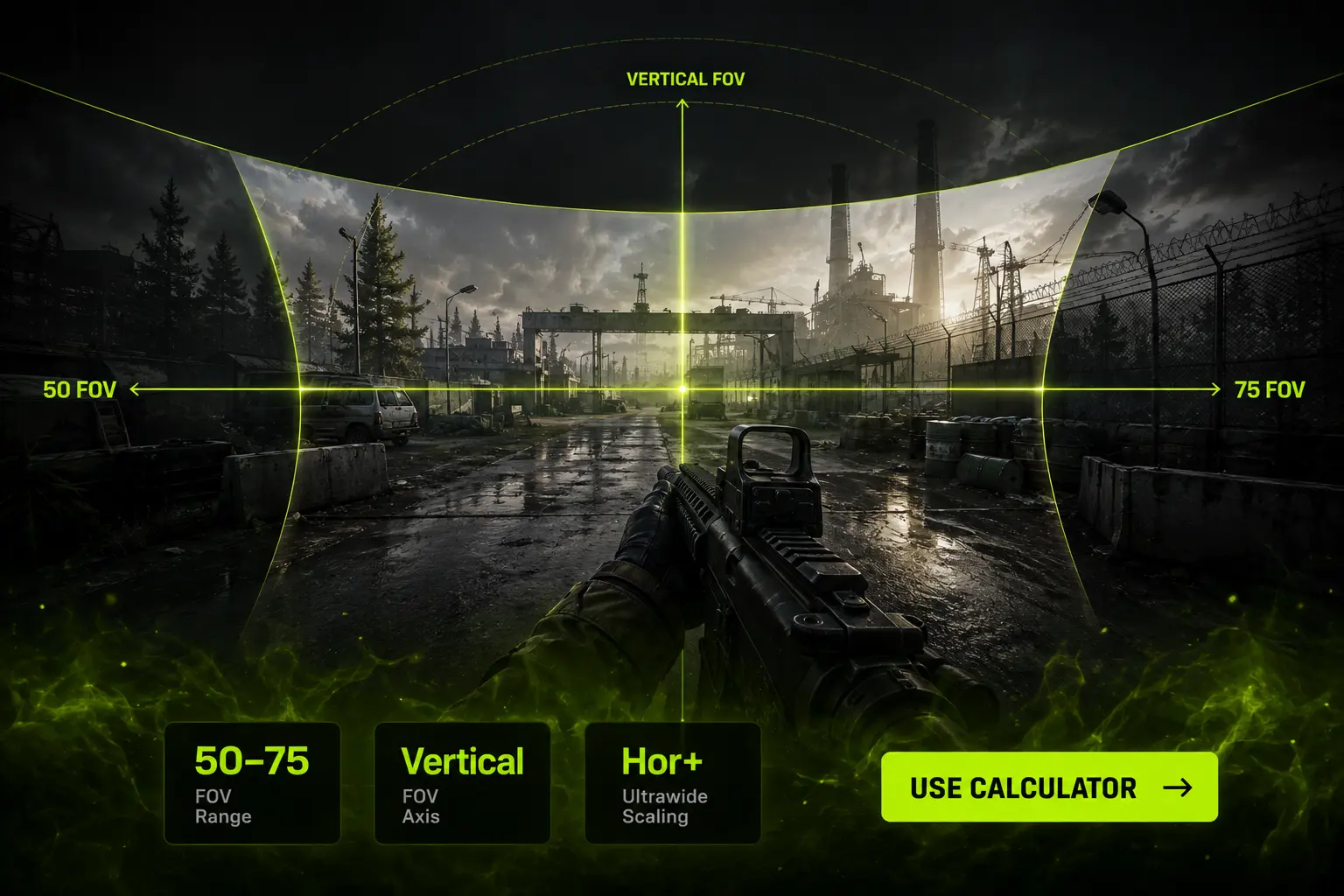
Escape from Tarkov gives you a FOV slider from 50 to 75 — and unlike most shooters, that number is a vertical field of view. Your actual on-screen width depends entirely on your aspect ratio. Use this calculator to see the real horizontal FOV behind your setting, compare monitor setups, and match your view across displays.
50–75
FOV
Range
Vertical
FOV
Axis
Hor+
Ultrawide
Scaling
– CALCULATOR
Escape from Tarkov FOV Calculator
Enter your in-game FOV setting (50–75) and your monitor’s aspect ratio. The calculator returns your true horizontal and diagonal field of view, plus the setting you’d need on a second monitor to keep the same view.
Escape from Tarkov FOV Calculator
Your settings
Result
Pick a conversion type, enter your FOV, choose your aspect ratio, then calculate.
– Quick Explainer
Why FOV Matters in Escape from Tarkov
Tarkov is a game of corners, doorways and dark interiors. Field of view decides how much of a room you take in the instant you swing a corner — and in a game where a single unseen player ends a two-hour raid, that window matters more than it does in a respawn shooter.
The trade-off is unusually sharp here. Tarkov’s engagement distances swing from three metres in a Factory hallway to three hundred metres across Woods or Lighthouse. A wide FOV that saves you indoors makes an unscoped target at distance genuinely hard to resolve — and Tarkov’s targets are often prone, in foliage, and not outlined in red.
– How to Use
Four Steps to Your FOV
01
Enter Your FOV
Type or slide the value from Settings → Graphics → Field of View (50–75).
02
Pick Your Ratio
Select the aspect ratio you actually play on right now.
03
Pick a Comparison
Choose a second ratio to see what you gain or lose horizontally.
04
Calculate & Apply
Copy the matched setting and apply it. Changes take effect on your next raid.
– Reference Data
Tarkov FOV Reference Table (16:9)
| Setting (Vertical) |
Horizontal on 16:9 |
Who Uses It | Notes |
|---|---|---|---|
| 50 | 79.3° | Game Default | Very zoomed. Best target resolution at range, worst peripheral awareness indoors. |
| 55 | 85.6° | Long-Range Players | Popular with Woods and Lighthouse snipers who fight past 200m. |
| 60 | 91.5° | Balanced | Reasonable compromise if you rotate between open and indoor maps. |
| 65 | 97.1° | Common Pick | Enough width for CQB without shrinking distant PMCs too aggressively. |
| 70 | 102.5° | Most Popular | The value most experienced players settle on. Strong all-round choice. |
| 75 | 107.5° | Maximum | Best for Factory, Labs and Interchange. Highest performance cost. |
Horizontal values above assume a 16:9 display. Switching to 21:9 at the same setting adds roughly 14–15.5° of horizontal view with no change to vertical — and the gain is slightly larger at lower settings than at 75. Run your own ratio through the calculator for exact numbers.
– The Math
How Tarkov FOV Conversion Works
Tarkov runs on Unity, and Unity cameras store field of view on the vertical axis. Your slider value is the vertical FOV. Everything horizontal is derived from it using your aspect ratio — which is why the conversion runs the opposite direction to games like Apex Legends or Call of Duty.
HFOV = 2 × atan( tan(VFOV ÷ 2) × Aspect Ratio )
VFOV = 2 × atan( tan(HFOV ÷ 2) ÷ Aspect Ratio )
DFOV = 2 × atan( tan(VFOV ÷ 2) × √(AR² + 1) )
— where Aspect Ratio = Width ÷ Height
VFOV
Vertical Field of View — this is the number on Tarkov’s slider
HFOV
Horizontal Field of View — derived, and what you actually perceive as “wide”
AR
Aspect Ratio — Width ÷ Height (e.g. 21 ÷ 9 = 2.3333)
Worked Example — 75 FOV on 16:9 vs 21:9
Step 1: Horizontal FOV on 16:9 (AR = 1.7778)
HFOV = 2 × atan(tan(75° ÷ 2) × 1.7778)
HFOV = 2 × atan(0.76733 × 1.7778) = 2 × atan(1.36414)
HFOV = 2 × 53.76° = 107.51°
Step 2: Same setting on 21:9 (AR = 2.3333)
HFOV = 2 × atan(0.76733 × 2.3333) = 2 × atan(1.79045)
HFOV = 2 × 60.82° = 121.63°
→ The setting never changed, but ultrawide gave you 14.1° more horizontal view for free. Vertical stayed at exactly 75°.
– Recommended Settings
Best Escape from Tarkov FOV Settings
55
Long Range · Sniper
For Woods, Lighthouse and Shoreline sightlines. Keeps distant PMCs large enough to identify before you commit to a shot.
65
Balanced · All Maps
The safest single value if you don’t want to change settings per map. Handles both open and interior fights acceptably.
70
Most Popular · Experienced
Where most veteran players land. Wide enough that corner-swings feel safe, tight enough for mid-range unscoped fights.
75
Maximum · CQB
Factory, Labs, Interchange and Streets interiors. Maximum room awareness, at the cost of frames and long-range clarity.
– ADS & Optics
Does FOV Change Your Scopes?
No — and this is the single most common misunderstanding about Tarkov’s FOV slider. Your aimed view is determined by the optic itself. A 1x red dot, a 4x PSO and a 25x scope each impose their own magnification, and the FOV setting does not stretch, widen or narrow what you see through the glass.
What the slider does change is everything around the moment of aiming: how early you see the player who is about to peek you, how much of a hallway you cover while moving, and how disorienting a close-quarters fight feels. Optics handle the shot; FOV handles the ten seconds before it.
– Performance
Does Higher FOV Cost FPS in Tarkov?
More than in most shooters. Tarkov is heavily CPU-bound, and widening FOV pushes more objects into the draw call budget — on maps like Streets of Tarkov, Interchange and Lighthouse, that is a meaningful cost rather than a rounding error.
Dense Maps (Streets, Interchange)
Going from 50 to 75 can cost 10–20% of your frame rate here, and worsens 1% lows more than average FPS. If Streets already stutters, drop FOV before you touch texture quality.
Open or Enclosed Maps
On Factory, Customs or Woods the cost is far smaller — typically a few percent on a modern CPU. Run 70–75 freely if these are your main maps and your CPU is not the bottleneck.
– Map Guide
Best FOV by Map and Monitor
Factory & Labs
70–75 FOV
Pure close quarters. Almost every fight is inside 30m, so width beats target size every time.
Customs & Streets
65–70 FOV
Mixed engagements plus a heavy CPU load. 65 is the safer pick if your frames dip in built-up areas.
Woods & Lighthouse
55–65 FOV
Spotting a prone PMC in treeline shadow at 200m is far easier with a narrower, more magnified view.
Ultrawide 21:9
60–70 FOV
Ultrawide already hands you extra width. Lower the slider a few points to claw back target size.
– Game Comparison
Why Tarkov’s Numbers Look So Low
A 75 in Tarkov is not a low FOV — it is a vertical number sitting next to horizontal numbers from other games. On 16:9 it works out to roughly 107.5° horizontally, which puts it within a few degrees of Apex Legends at its 110 maximum.
| Game | FOV Range | FOV Type | Max on 16:9 (H) |
|---|---|---|---|
| Escape from Tarkov | 50–75 | Vertical (Hor+) | 107.5° |
| Apex Legends | 70–110 | Horizontal | 110° |
| Valorant | Fixed 103° V | Vertical (locked) | Locked |
| CS2 | Engine-based | Horizontal (Hor+) | ~106° |
| Warzone | 60–120 | Horizontal | 120° |
| Overwatch 2 | 80–103 | Horizontal | 103° |
– Informational
Understanding FOV in Escape from Tarkov
Tarkov’s FOV slider is short, quiet, and easy to skip past on your way to the graphics presets. It is also one of the few settings in the game that changes how information reaches you rather than how the game looks. Everything from whether you clear a room safely to whether you can identify a shape at 180m runs through this one number.
How to Change FOV in Tarkov
Open Settings from the main menu, go to the Graphics tab, and find the Field of View slider. Set your value, apply, and it takes effect on your next raid. It cannot be changed mid-raid, so decide before you queue — and if you play very different maps in a session, it is worth changing between them rather than committing to one compromise value forever.
Vertical FOV and Why It Changes Everything
Because the slider is vertical, Tarkov behaves as a Hor+ game: widening your display adds horizontal view without touching what you see above and below. That is a real advantage for ultrawide users, and it is not a cheat or an exploit — it is simply how a vertically-anchored camera responds to a wider frame. The practical consequence is that two players on the same setting are not seeing the same amount of world, and copying a streamer’s number without matching their monitor gets you something different from what they have.
FOV, Sensitivity and Muscle Memory
Changing FOV changes how far a target sits from your crosshair in angular terms, which means your hip-fire flicks are silently recalibrated every time you touch the slider. Tarkov punishes this more than most games because your raids are finite — you cannot burn twenty deaths relearning your aim without burning twenty kits with them. Move in steps of 5, and give each value several raids before you decide.
Common FOV Mistakes in Tarkov
The first is treating 75 as automatically correct because it is the maximum. On CPU-limited systems and long-range maps it is often the wrong answer. The second is expecting the setting to change scoped view — it does not. The third is comparing Tarkov’s number to a horizontal number from another game and concluding Tarkov is narrow. And the fourth is moving your setting the day before a wipe-critical run; give any change a few quiet raids on cheap kit first.
How to Find Your Ideal Tarkov FOV
Start at 65. Run five or six raids across your usual map rotation on kit you can afford to lose. If you keep getting killed by players you never saw enter the room, go up to 70. If you keep failing to identify targets across open ground before they identify you, go down to 60. When you stop noticing the setting at all, you have found it.
– FAQ
Common questions about Tarkov FOV.
Everything you need to know about Tarkov’s field of view slider, aspect ratios, and performance.
Most experienced players run 70, with 65 close behind. 70 gives strong awareness for indoor and mid-range fights without shrinking distant targets as much as 75 does. If you mainly play open maps or your CPU is struggling, 60–65 is a better fit.
Vertical. Tarkov runs on Unity, whose cameras define field of view on the vertical axis, so the 50–75 slider is a vertical value. Your horizontal view is calculated from it using your aspect ratio — which is exactly what the calculator above does.
In horizontal terms, yes — because the game is Hor+, a 21:9 display shows roughly 14–15° more to the left and right at the same setting than 16:9 does, with identical vertical view. In practice the benefit is partly offset by targets being physically smaller across a wider screen and by the extra GPU load. It is a real but modest difference, not a decisive one.
No. Your aimed view comes from the optic you have mounted, and the FOV slider does not alter magnification through glass. The setting only affects your hip-fire and general movement view.
Yes, and more noticeably than in most shooters. Tarkov is CPU-heavy, so wider FOV means more objects being processed each frame. On dense maps like Streets and Interchange, moving from 50 to 75 can cost 10–20% of your frame rate and hurt 1% lows. On Factory or Woods the cost is much smaller.
Because you are comparing a vertical number to horizontal ones. 75 vertical on a 16:9 display works out to about 107.5° horizontally — just under Apex Legends’ maximum of 110. The scales are different, not the actual view.
From the main menu open Settings, go to the Graphics tab, and adjust the Field of View slider between 50 and 75. Apply the change — it takes effect from your next raid, not the one you are currently in.
– RELATED TOOL